Finding a vehicle is one problem. Knowing which vehicles need attention is another.
A car may be easy to locate and still be waiting on a part, a customer approval, a wash, or its next step in recon. When those delays blend into a busy lot, managers can spend the day reacting to questions instead of addressing the vehicles that need their help.
TrueSpot location data gives those conversations a starting point. Reporting helps teams review movement, identify exceptions, and decide where to follow up.
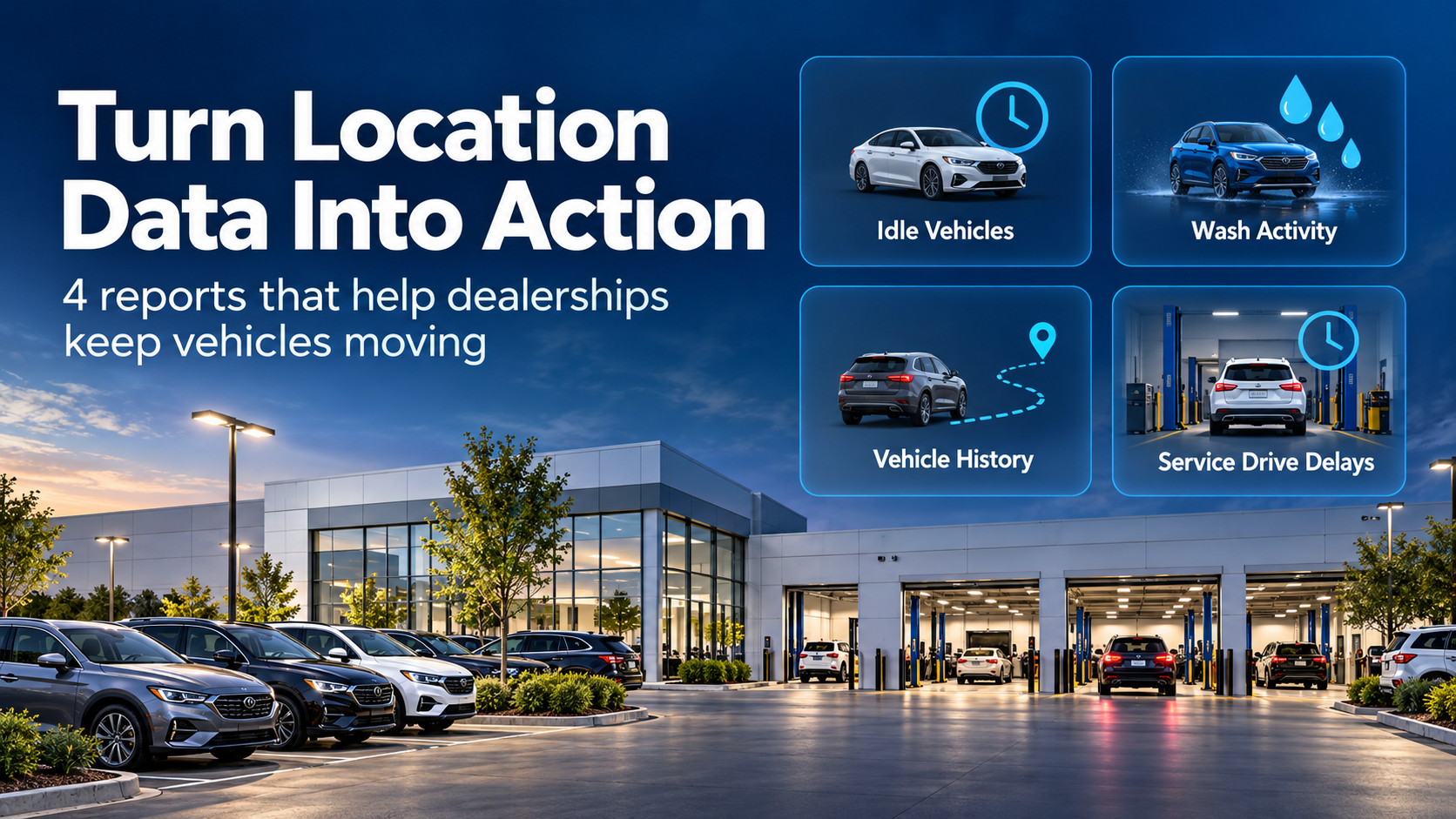
Here are four reporting use cases—and practical ways to turn each one into action.
A quick guide: which report answers your question?
| Report | Question it helps answer | Practical next step |
|---|---|---|
| Idle Vehicle | Which vehicles have not moved within the selected time window? | Check the reason for the delay and assign a follow-up. |
| Wash | Which units need a wash-status review? | Reconcile wash activity with the delivery or frontline list. |
| Vehicle History | What movement was recorded for this vehicle? | Review the timeline alongside the relevant checkout or work records. |
| Service Drive Delay | Which vehicles have remained in the drive beyond the configured threshold? | Have the responsible team clear the next handoff. |
1. Idle Vehicle Report: bring overlooked vehicles back into the conversation
A vehicle that stays in the same place deserves a question: Is this expected, or is something holding it up?
The Idle Vehicle Report helps teams identify vehicles that have not moved within a selected period. The right window depends on the department and its normal workflow. A service vehicle waiting on a backordered part needs a different conversation than a recon vehicle waiting for its next handoff.
Put it to work
Review the exceptions during a service or recon meeting. For each vehicle, establish:
- Why it is waiting.
- Whether someone needs to take action today.
- Who owns the next step.
- When the team should check it again.
Example: A vehicle appears on the idle list after several days. The manager checks its repair order and discovers that customer approval is still outstanding. The action is to follow up on that approval and record the next review date.
The report directs attention to the vehicle. Your team supplies the reason and the resolution.
Remember: No movement does not automatically mean no work. A vehicle can remain in a bay while a technician works on it. Use the report with repair-order or recon information before drawing a conclusion.
2. Wash Report: support a more reliable delivery handoff
“Has this car been washed?” often becomes urgent right before a customer arrives.
A wash report helps teams review which units need attention in the cleaning workflow. Its value comes from connecting that review to a real operating list: today's deliveries, units heading to the frontline, or vehicles preparing to return to customers.
Put it to work
Before the delivery rush, compare the relevant vehicle list with the wash information your store uses. Flag units whose status needs confirmation, then give the wash team a clear order of priority.
Example: Three vehicles are scheduled for afternoon pickup. One needs its wash status checked. The delivery coordinator follows up early enough to arrange cleaning before the customer arrives.
The useful outcome is a clearer handoff between the wash team and the person preparing the vehicle for delivery.
Remember: Location evidence and a completed wash are different things. If your report uses time or movement in a wash area, establish what that activity means at your store. Entering the area alone should not be treated as proof that a wash was completed.
3. Vehicle History Report: add context to the current location
A current location answers where to look. A recorded movement history helps explain how a vehicle moved through the dealership.
That context can be useful when reviewing a loaner, demo vehicle, or a unit that moved between departments. Instead of asking employees to reconstruct the entire day from memory, start with the recorded timeline and investigate the relevant handoffs.
Put it to work
Review the movement history alongside your loaner, demo, checkout, repair-order, or recon records. Look for activity that needs clarification, then ask the responsible team about it.
Example: A demo vehicle has more mileage than expected. Its recorded movement history gives the manager a starting point for comparing activity with the demo checkout log. That review helps determine whether the activity matches an approved use or needs further follow-up.
Remember: A movement record does not identify the driver, explain the purpose of a trip, or prove misuse. Off-campus visibility also depends on the tracking solution and coverage in place. On-campus location reporting should not be presented as a GPS route history beyond that coverage.
4. Service Drive Delay Report: catch a stalled handoff early
The service drive is a handoff point. A vehicle arrives, gets checked in, and needs to move to its next destination.
When that handoff stalls, it can affect the next arrival and leave advisors looking for someone to move a car. Reviewing vehicles that remain in the drive beyond a configured threshold gives managers a focused list to investigate.
Put it to work
Agree on what counts as an exception for your store. Define the drive area, choose a useful time threshold, and name the person responsible for responding. Where alerts are configured, make sure they reach someone who can coordinate the next step.
Example: A checked-in vehicle remains in the drive longer than your store's target. The manager checks whether the advisor is still with the customer, whether the vehicle needs special handling, or whether a porter is waiting for instructions. The next action depends on that reason.
Remember: A threshold should support the workflow. If normal check-ins repeatedly trigger exceptions, review the settings and process together.
Make reporting part of the daily routine
A report is useful when someone acts on it. Start with one recurring problem and a simple review routine:
- Choose a question. For example: which recon vehicles need a follow-up today?
- Agree on the definition. Decide what area, activity, and time window matter.
- Name an owner. Assign someone to review exceptions and coordinate action.
- Close the loop. Record the reason, next step, and follow-up time in the system your team uses.
- Review the pattern. Are the same delays recurring? Does the handoff or threshold need to change?
Keep the routine short enough to use consistently. A focused review with clear ownership can be more useful than a large report that no one opens.
Already using TrueSpot?
Bring your TrueSpot team one specific reporting question, such as:
- Which service vehicles need a follow-up after an extended wait?
- How can we review wash activity before scheduled deliveries?
- How can we investigate movement for a demo or loaner?
- How can we identify vehicles that stay in the service drive too long?
Together, we can review your coverage, reporting options, and workflow to determine what fits your location. Available reports, settings, and alerts depend on your deployment and configuration.
Exploring TrueSpot for your dealership?
A demo is a chance to walk through how vehicles and keys move at your store—and where your team loses visibility along the way.
Show us the handoff you want to improve. We can discuss the tracking coverage and reporting approach that would help your team make a better daily decision.

Justin Fuller | Director of Sales, TrueSpot
justin.fuller@truespot.com | 737.443.9555